
01
Nobody knows how to start the call
Often the room works; nobody was shown how. Every meeting opens with someone hunting for the right input, and the next booking inherits the mess.
PlanIntegrateSupport
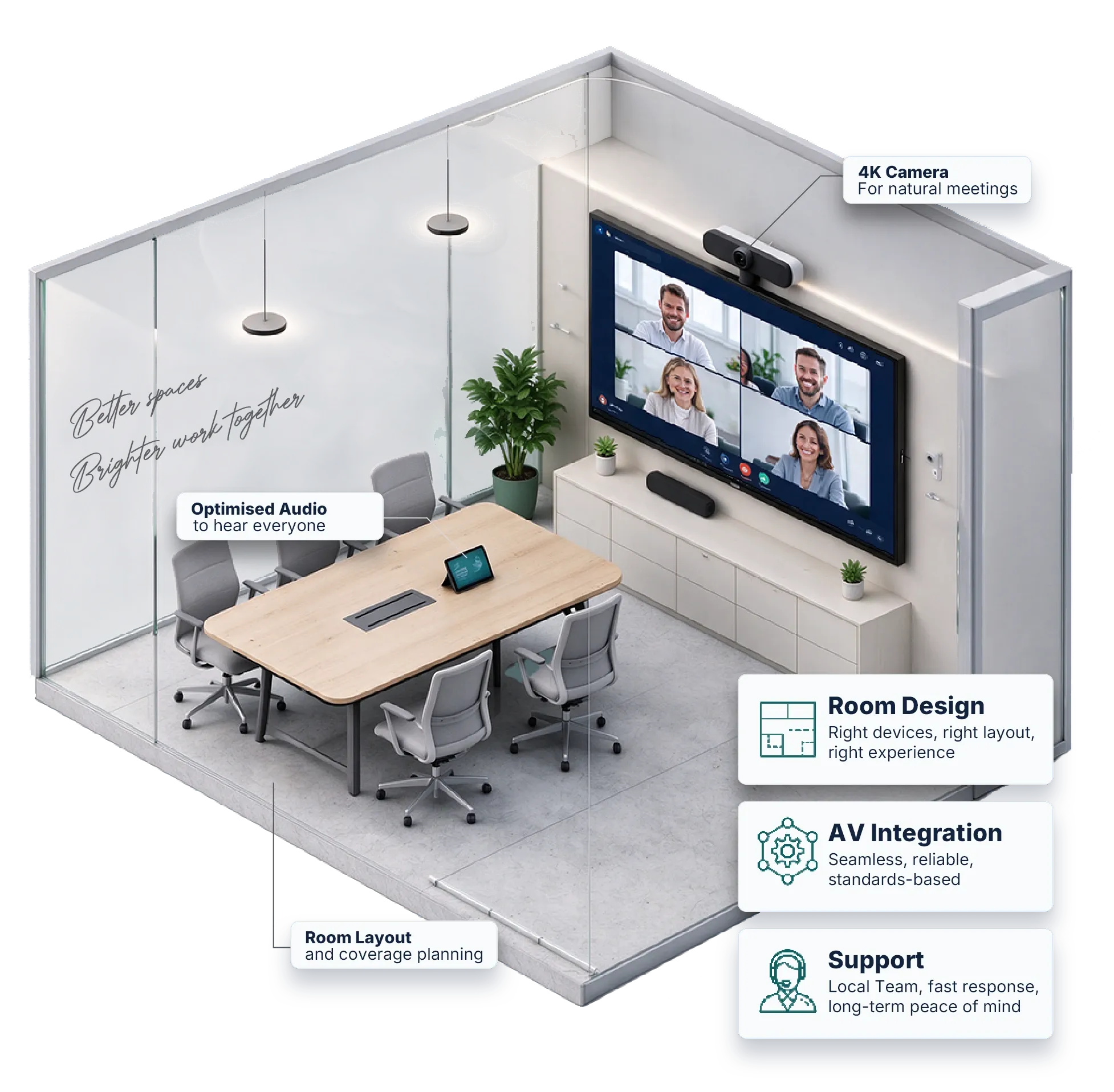
From huddle rooms to boardrooms, VisionCast combines UC devices, AV integration and ongoing support into one dependable experience.
18manufacturers
500+rooms installed
4countries served
4-hrresponse
Better spaces. Brighter work together.
The Problem
Every one of them is avoidable, and every one is decided at design stage, not on the day the room goes live.
01
Often the room works; nobody was shown how. Every meeting opens with someone hunting for the right input, and the next booking inherits the mess.
02
Plenty of rooms, boardrooms especially, still have no conferencing device or no display at all. Staff learn to avoid them, and capacity you paid for sits empty.
03
Audio is the complaint we hear most, not video: a voice too far from the microphone, a noisy far end, speech that arrives muffled. People forgive a soft picture; they do not forgive this.
04
Bring-your-own-device should be one cable or one click. When a guest laptop cannot share content or use the room’s camera and microphones, the meeting stalls before it starts.
What "Unified" Actually Means
Unified communications is not a product you buy. It is the state you reach when calling, video, chat, content and scheduling all resolve to the same person, on the same directory, with the same controls.
Most organisations are already part of the way there and do not know which part is missing. That gap is usually where the meeting-room experience breaks down.
The Bench: UC devices
A single-brand integrator has one answer to every room. These nine run the meeting itself: endpoints certified for Microsoft Teams Rooms, Zoom Rooms and BYOD, so people get the platform they already know. VisionCast is an authorised Yealink and MAXHUB reseller.

Teams & Zoom room systems
Authorised reseller
IP phones, video bars and room kits on one ecosystem, with a consistent touch console across the range.

Interactive displays
Authorised reseller
Premium collaboration panels and conferencing hardware where annotation matters as much as the call.

Platform-agnostic
Works out of the box with Zoom, Google Meet, Webex and more, rather than being locked to one platform.

Voice & UCaaS
Voice networking, media processing and telephony gateways that bring calling into UC and UCaaS estates.

Enterprise audio & video
Premium conferencing optimised for Microsoft Teams, Zoom and Google Meet.

Room compute
ThinkSmart conference-room computers built to run the meeting platform reliably.

Plug-and-play
Headsets, speakerphones and video bars that work with Zoom, Webex, Mitel and Avaya without tedious configuration.

AI cameras
AI-driven 360° conferencing cameras for hybrid spaces with no fixed install.

Any device, any space
Collaboration devices that keep teams connected whether in the office or working remotely.
The Bench: Pro AV
These work around the UC endpoints rather than replacing them: microphones, processing, switching and cameras sized to the room, from a huddle space to a townhall. VisionCast is an authorised Extron reseller and an authorised Yamaha dealer.

One-stop audio
Authorised dealer
ADECIA auto-tunes mic, processor and speakers to the room, cutting commissioning time.

Difficult audio
Ceiling and table arrays with steerable lobes for hard surfaces and long tables.

Large-room DSP
Audio processing for Teams Rooms, Zoom Rooms and BYOM across auditoria, divisible rooms and multi-zone spaces.

BYOM & switching
Authorised reseller
Unified Collaboration Series links a USB-C laptop to the room’s cameras, microphones and displays.

High-impact rooms
Brings Microsoft Teams Rooms and Zoom Rooms into larger, networked AV environments.

Pro audio pedigree
Conferencing audio engineered to integrate with Microsoft Teams, Zoom and Cisco.

Volume rollouts
Practical UC and Pro AV hardware for deployments where budget per room is fixed.

Mixers & extenders
Camera mixers, presentation switchers and signal extenders for conference rooms and hybrid learning.

Speech capture
Boundary and ceiling microphones for chambers, lecture halls and formal rooms.
Standardised on something we do not carry? Tell us what it is. We will tell you plainly whether it suits the room, and which of our eighteen does the same job.
How We Choose
Every room we design has to be easy to deploy, easy to use and easy to maintain, and still have room to expand three to five years on. That comes from making five decisions in the right order.
Dimensions, seating, ceiling height, glazing and wall finishes. A glass-walled room and a carpeted one with identical floor plans need entirely different audio.
Teams, Zoom, Webex or Meet. The certified path differs for each, and buying hardware before settling this is how rooms end up unsupported.
Not the seat nearest the microphone. If the person at the far end of the table is intelligible to a remote participant, everyone else already is.
Identical controls in every room, whatever sits behind the wall. Nobody should have to learn a second room.
Firmware and patch management, back-to-back support from the manufacturer and a contracted response time. Rooms drift; someone has to own that.
Rooms
Room type drives almost every decision that follows it: camera field of view, microphone pickup pattern, whether you need a DSP at all. Prices are indicative and include the display, the video conferencing kit and installation.

One device, one cable, no in-room IT. The bar covers camera, microphone and speaker for the whole space.
From S$3,500 installedAbout 3 hours on site

Where most of your calls actually happen. Framing and microphone reach have to cover the whole table, not the first two chairs.
From S$4,500 installed3 hours to 1 day on site

The room your clients and board see. Engineered audio, intelligent camera switching, and controls simple enough that nobody needs briefing.
From S$13,500 installedAbout 4 days on site

Presenter reinforcement, audience microphones and content capture, so remote attendees get the same session as the room.
From S$20,850 installedAbout 1 week on site

Bookable pods and open areas where people drop into calls without a booking, a cable or a helpdesk ticket.

One standard, deployed repeatedly, monitored centrally. Consistency is the point: every room behaves the same way.
Platforms
Each of these has a different certified device list. Buying first and deciding second is the most expensive order to do this in.
Already committed to one? Good. That narrows the specification usefully rather than limiting it.
Native Teams Rooms on Windows or Android, joined to your tenant and managed from the Teams admin centre.
You already run Microsoft 365
Zoom Rooms with scheduling display and controller, plus Zoom Phone where you are consolidating voice.
Video-first, many external attendees
Webex devices and registration where Cisco networking and security policy already govern the estate.
Cisco-standardised enterprise
Certified Meet hardware tied to Workspace identity, calendar and device management.
Google Workspace organisations
Selected Work
Recent new-office fit-outs in Singapore, from the townhall down to the pantry screen. Clients are described rather than named.
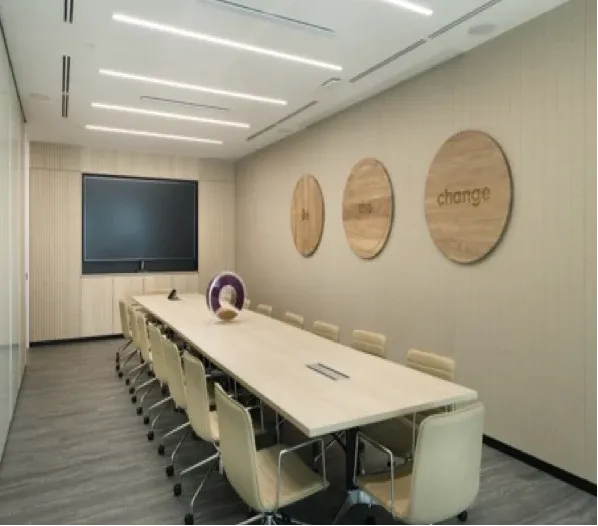
A leading global food and agri-business, headquartered and listed in Singapore, moved into a new office and wanted every space delivered as one turnkey project. The brief: equipment that is clean, easy to deploy, easy to use and easy to maintain, with room to expand after three to five years. We designed and installed eleven kinds of space, from the townhall to the pantry. Meeting rooms run Microsoft Teams Rooms on Yealink, sized from the A10 in managers’ rooms to the MVC S90 in the training room, with Shure and Sennheiser microphones, Biamp and Shure processing, Extron control and Samsung displays throughout.
Japanese multinational chemical company
New Singapore office, designed and deployed
Japan’s largest travel agency, a leading travel management company in Asia
New Singapore office, designed and deployed

Subsidiary of a major Hong Kong food and beverage group
New Singapore office, designed and deployed


After Handover
Firmware moves, certifications change, and rooms drift out of the state you commissioned them in. Someone has to own that, in writing.
We keep room systems on current firmware and apply manufacturer patches, so every room stays certified for its platform and supported by its vendor.
A fault we cannot close ourselves goes straight to the manufacturer through our reseller agreements. You deal with one team, not eighteen.
Phone, email or video call, Monday to Friday, 9am to 6pm. We respond within four hours and are on site by the next business day. Evening, weekend and public-holiday cover is available on contract.
Every design leaves room to grow over three to five years, so adding a room or upgrading a display does not mean starting again.
Questions
What buyers ask us before the first site survey, answered plainly.
Still have a question?Ask our team
Contact
Tell us what you need and we will come back to you within one business day.
Every enquiry goes straight to our sales team at sales@visioncast.com.sg.
With the questions we need answered, or a time to talk it through.
We check what you already have and what is holding the room back.
Prefer to reach us directly?